
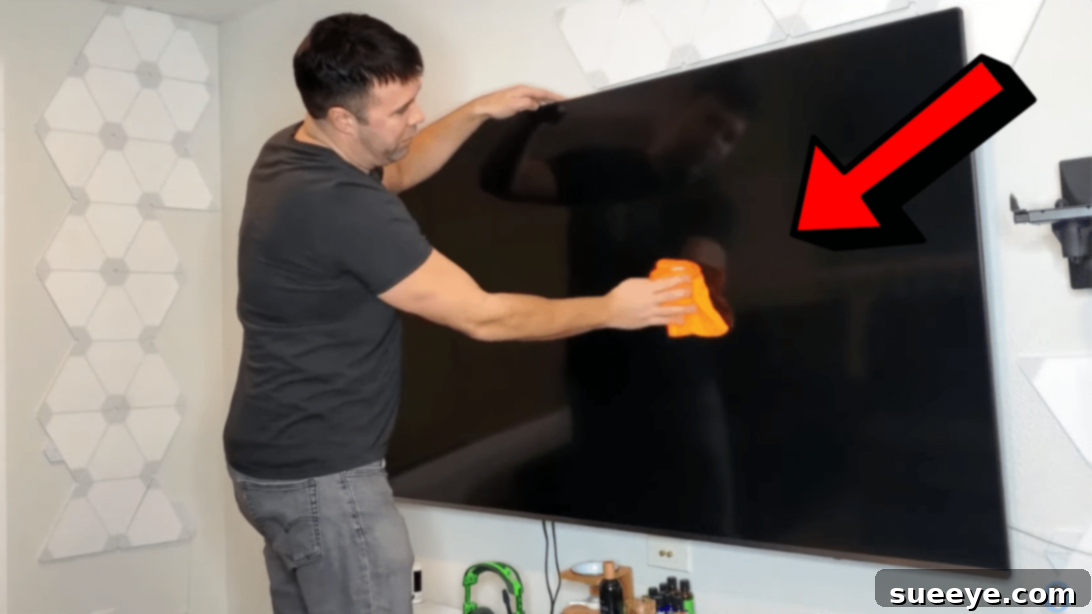
Modern flat-screen televisions and monitors are a marvel of technology, offering breathtaking clarity and vibrant colors. However, maintaining that pristine picture quality requires more than just a casual swipe. Unlike older CRT televisions, contemporary LCD, LED, and OLED screens are incredibly delicate and susceptible to damage from improper cleaning methods. Dust, fingerprints, smudges, and even static cling can accumulate quickly, detracting from your viewing experience and, if left unaddressed or cleaned incorrectly, potentially causing permanent damage to the screen’s sensitive anti-glare coatings or pixels.
Many turn to quick fixes or household cleaners, often unaware of the irreversible harm they can inflict. Using abrasive materials or harsh chemical solutions can lead to scratches, streaks, discoloration, or even render your expensive display unusable. The key to a spotless, long-lasting screen lies in understanding the right techniques and using the appropriate tools. This comprehensive guide will walk you through a simple, effective, and crucially, safe method for cleaning your flat-screen TV or monitor, ensuring it remains as brilliant as the day you bought it.
Whether you’re battling persistent fingerprints from little ones, a layer of dust that dulls your picture, or stubborn smudges, this tutorial provides a straightforward approach, building on expert advice similar to those found in helpful resources like this easy TV screen cleaning tutorial. For a visual demonstration, you can also check out this helpful video tutorial by JMG ENTERPRISES on YouTube, which beautifully illustrates the simplicity and effectiveness of the proper cleaning technique.
Why Proper TV Screen Cleaning is Crucial for Longevity and Picture Quality
Understanding the sensitivity of your flat-screen display is the first step towards proper maintenance. Unlike the glass screens of old, modern flat panels feature intricate layers, including anti-glare coatings, polarizing filters, and touch-sensitive elements, all of which can be compromised by incorrect cleaning agents or abrasive contact. Scratches not only mar the aesthetic but can also refract light, creating distracting visual imperfections. Chemical damage can strip away protective layers, leading to cloudiness, splotches, or an uneven display.
Regular, gentle cleaning prevents the buildup of grime that becomes harder to remove over time. It ensures optimal picture clarity, vibrancy, and contrast, allowing you to fully enjoy your movies, games, and shows as intended by their creators. A clean screen also contributes to better eye comfort, as you won’t be squinting through a layer of dust or smudges.
Essential Materials for a Spotless Flat Screen TV
Gathering the right tools before you begin is paramount. Forget paper towels, old t-shirts, or household cleaners. Your cleaning arsenal should be minimal yet effective.
- High-Quality Microfiber Cloths: This is your most critical tool. You’ll need at least two, preferably new and dedicated solely to screen cleaning. Microfiber cloths are exceptionally soft, lint-free, and designed to pick up dust and oils without scratching delicate surfaces. Ensure they are clean and free from any fabric softener or detergent residues, which can leave streaks.
- Distilled Water: For tackling stubborn smudges. Tap water contains minerals and impurities that can leave unsightly streaks and residue on your screen. Distilled water is purified, making it ideal for a streak-free finish. Avoid using bottled drinking water, which still contains minerals.
- Optional: Screen-Specific Cleaning Solution: While distilled water is often sufficient, a high-quality, alcohol-free, and ammonia-free screen cleaning solution explicitly designed for electronics can be used for very greasy or sticky marks. Always check the label to ensure it’s safe for LCD, LED, or OLED displays. Never use window cleaner, all-purpose cleaners, or any solution containing alcohol, ammonia, or phosphates.
- Optional: Can of Compressed Air or Air Blower: Excellent for removing loose dust and debris from the screen’s bezels and vents before wiping, reducing the risk of scratching.
How to Clean a Flat Screen TV Like a Professional: A Step-by-Step Guide
Step 1: Preparation is Key – Safety and Initial Dust Removal
Before any cleaning begins, safety is paramount. The very first and most crucial step is to **unplug your TV** from the power outlet. This not only eliminates any risk of electrical mishaps but also makes dust and smudges much more visible against a dark, unlit screen. Allow your TV to cool down completely if it has been recently in use, as cleaning a warm screen can cause solutions to evaporate too quickly, leaving streaks.
Next, use a can of compressed air or a soft, dry microfiber cloth to gently remove any loose dust from the screen’s surface and around the bezels. Do this with extreme care, without applying any pressure to the screen itself. The goal here is to get rid of any abrasive particles that could scratch the screen during the wiping process. Ensure your hands are clean and free of oils, and remove any jewelry or watches that could accidentally scratch the screen.
Step 2: The Gentle Dry Wipe – Tackling Surface Dust and Light Fingerprints
With the TV unplugged and loose dust removed, take your first clean, dry microfiber cloth. Gently wipe the entire screen in a soft, consistent motion. Many professionals recommend an up-and-down or side-to-side motion, working in small, overlapping sections from the top to the bottom of the screen. Alternatively, a gentle circular motion can also be effective. The key is to use very light pressure – imagine you’re barely touching the surface. Avoid pressing hard, as this can potentially damage the delicate pixels underneath or leave permanent bright spots.
For minor dust and light fingerprints, this dry wipe is often all that’s needed to restore clarity. If you notice any stubborn areas or smudges that persist after the dry wipe, move on to the next step.
Step 3: Addressing Stubborn Smudges with Distilled Water or Safe Cleaner
If you encounter more stubborn smudges, grease marks, or dried spills, it’s time to introduce a minimal amount of liquid. **Crucially, never spray water or any cleaning solution directly onto the screen.** Liquids can seep into the TV’s internal components, causing irreversible damage. Instead, slightly dampen a *separate*, clean microfiber cloth with distilled water.
The cloth should be damp, not wet. Wring out any excess water thoroughly so that it feels barely moist. Then, gently wipe the affected areas using the same light pressure and consistent motion. Work on small sections at a time. If using a screen-specific cleaning solution, spray it onto the microfiber cloth first, away from the TV, then wipe the screen. Never saturate the cloth.
Once you’ve cleaned the screen, immediately follow up with a *third*, completely dry and clean microfiber cloth. This cloth will be used to gently buff away any remaining moisture or streaks, ensuring a crystal-clear, streak-free finish. Continue buffing until the screen is completely dry and polished.
Step 4: The Final Dry and Power On
After wiping and polishing, allow your TV screen to air dry completely for a few hours, even if it appears dry to the touch. This extra precaution ensures that any lingering moisture has fully evaporated before electrical power is reintroduced. Once you are absolutely certain the screen is bone dry, you can safely plug your TV back into the power outlet and power it on. You should now be greeted by a perfectly clean, vibrant display, free from distracting smudges and streaks.
Crucial Don’ts: Common Mistakes to Avoid When Cleaning Your TV
While knowing what to do is important, knowing what *not* to do can be even more critical in protecting your expensive investment. Avoiding these common pitfalls will save you from potential regret.
- Never Use Harsh Chemical Cleaners: This is perhaps the most important rule. Avoid window cleaners, kitchen sprays, furniture polish, or any solution containing ammonia, alcohol (ethanol, isopropyl alcohol), acetone, or phosphates. These chemicals can permanently damage anti-glare coatings, cause discoloration, or even etch the screen surface, leading to irreversible cloudiness or haziness.
- Do Not Spray Liquids Directly Onto the Screen: As mentioned, direct spraying risks liquid seeping into the TV’s bezels and internal electronics, which can cause short circuits, malfunction, or permanent damage. Always apply liquids to your microfiber cloth first.
- Avoid Paper Towels, Tissues, or Rough Cloths: These materials, despite feeling soft to the touch, are surprisingly abrasive. They can leave microscopic scratches on the delicate screen surface and shed lint, creating more mess than they clean. Stick exclusively to high-quality microfiber.
- Do Not Apply Excessive Pressure: Pressing too hard on a flat-screen TV can damage the pixels, leading to dead pixels or areas of uneven brightness. Always use a gentle touch.
- Never Clean a Hot Screen: A warm screen can cause cleaning solutions to evaporate too quickly, leaving behind streaks and residues that are harder to remove. Always ensure your TV is unplugged and cool to the touch before cleaning.
- Avoid Wiping in Circles with Excessive Force: While gentle circular motions can be okay, aggressive circular rubbing can redistribute dirt and oils rather than remove them, potentially leading to streaks or even fine scratches if abrasive particles are present. Stick to light, consistent strokes.
Maintaining Your TV’s Cleanliness Long-Term
Preventative measures and regular, light maintenance are far better than reactive, intensive cleaning. Here are some tips to keep your screen gleaming:
- Regular Dusting: Make it a habit to gently dust your TV screen with a dry microfiber cloth at least once a week, or more frequently if you live in a dusty environment or have pets. This prevents heavy buildup.
- Address Fingerprints Promptly: Keep a dedicated, clean microfiber cloth near your TV for quick spot cleaning of fingerprints. The sooner you wipe them, the easier they are to remove.
- Consider a TV Cover: If your TV is in an area prone to excessive dust or is not used frequently, a soft TV cover can provide an excellent barrier against environmental debris.
- Placement Matters: Positioning your TV away from direct sunlight can help reduce glare, making minor dust less noticeable and potentially reducing the frequency of deep cleaning.
Understanding Different Screen Types and Their Care
While the general cleaning principles remain consistent, it’s helpful to be aware of nuances based on your TV’s display technology.
- LCD/LED Screens: These are the most common types. The cleaning methods outlined in this guide are perfectly suited for LCD and LED TVs. Pay particular attention to avoiding pressure, as the liquid crystal layers are sensitive.
- OLED Screens: OLED displays are known for their incredibly thin panels and self-emissive pixels. They are generally more delicate than LCD/LEDs. While the cleaning method is similar, extra gentleness is advised. Be exceptionally careful with any liquid, as excess moisture could potentially affect the organic layers. Always use distilled water or a specifically OLED-safe cleaner sparingly.
- Plasma Screens: Although largely phased out, many plasma TVs are still in use. These often have a glass front, which can be slightly more resistant to light scratches than plastic-based LCD/LED/OLED screens. However, the anti-glare coatings on plasma screens are still sensitive to harsh chemicals. Stick to microfiber and distilled water for best results.
- Matte vs. Glossy Screens: Matte screens tend to disperse reflections but can sometimes show smudges more prominently. Glossy screens offer vibrant colors but are magnets for fingerprints and reflections. Both benefit from the same gentle cleaning approach.
Best Way to Clean a Flat Screen TV: Achieving a Streak-Free Finish
The best way to clean a flat screen TV is not through complicated solutions or aggressive scrubbing, but through a gentle, methodical approach using the right tools. By following the steps outlined above – unplugging the device, using a clean, lint-free microfiber cloth, applying minimal distilled water or a dedicated screen cleaner indirectly, and always finishing with a dry buff – you ensure the longevity and optimal performance of your display. It’s a simple routine that yields professional-grade results, protecting your investment and enhancing your viewing pleasure.
A crystal-clear screen elevates every moment you spend in front of it, from immersive gaming sessions to cinematic movie nights. Embrace these simple yet effective cleaning habits, and you’ll enjoy a display that truly shines.
*A special thank you to JMG ENTERPRISES via YouTube for providing the illustrative images used in this guide. For more insightful cleaning hacks and tutorials, we encourage you to visit their channel and consider subscribing!